Top 5 Tips
- Creating a Google Business Profile in 2025 is key to being seen locally, with 87% of customers using Google to find and evaluate local businesses before making a purchase.
- The 2025 edition includes AI-powered insights, better appointment booking systems, and enhanced customer interaction tools that were not available in past versions.
- Proper verification and profile completion can increase your local ranking by up to 35% compared to incomplete profiles.
- Strategic photo uploads and regular content updates through Google Posts can improve customer engagement by 72% according to Localo’s latest data.
- Businesses that actively respond to reviews experience 45% higher engagement and 56% more website traffic than those who do not manage their review presence.
In today’s digital-first economy, your Google Business Profile (GBP) is not just another online listing—it’s the main entrance to your business for most customers. As search behaviors continue to evolve in 2025, having a properly optimized GBP has become more important than ever for businesses of all sizes. Whether you’re setting up your profile for the first time or looking to leverage the latest features, this comprehensive guide will walk you through everything you need to know to maximize your local presence through Google’s powerful business platform.
Google handles more than 8.5 billion searches every day, and almost half of them are local searches. Your Google Business Profile (GBP) is your digital storefront that’s open 24/7. It’s more potent and complicated than ever before, thanks to the significant updates it received in 2025. Localo’s local SEO tools can help businesses adapt to these changes and attract more customers by optimizing their Google profiles.
Why You Need a Google Business Profile in 2025
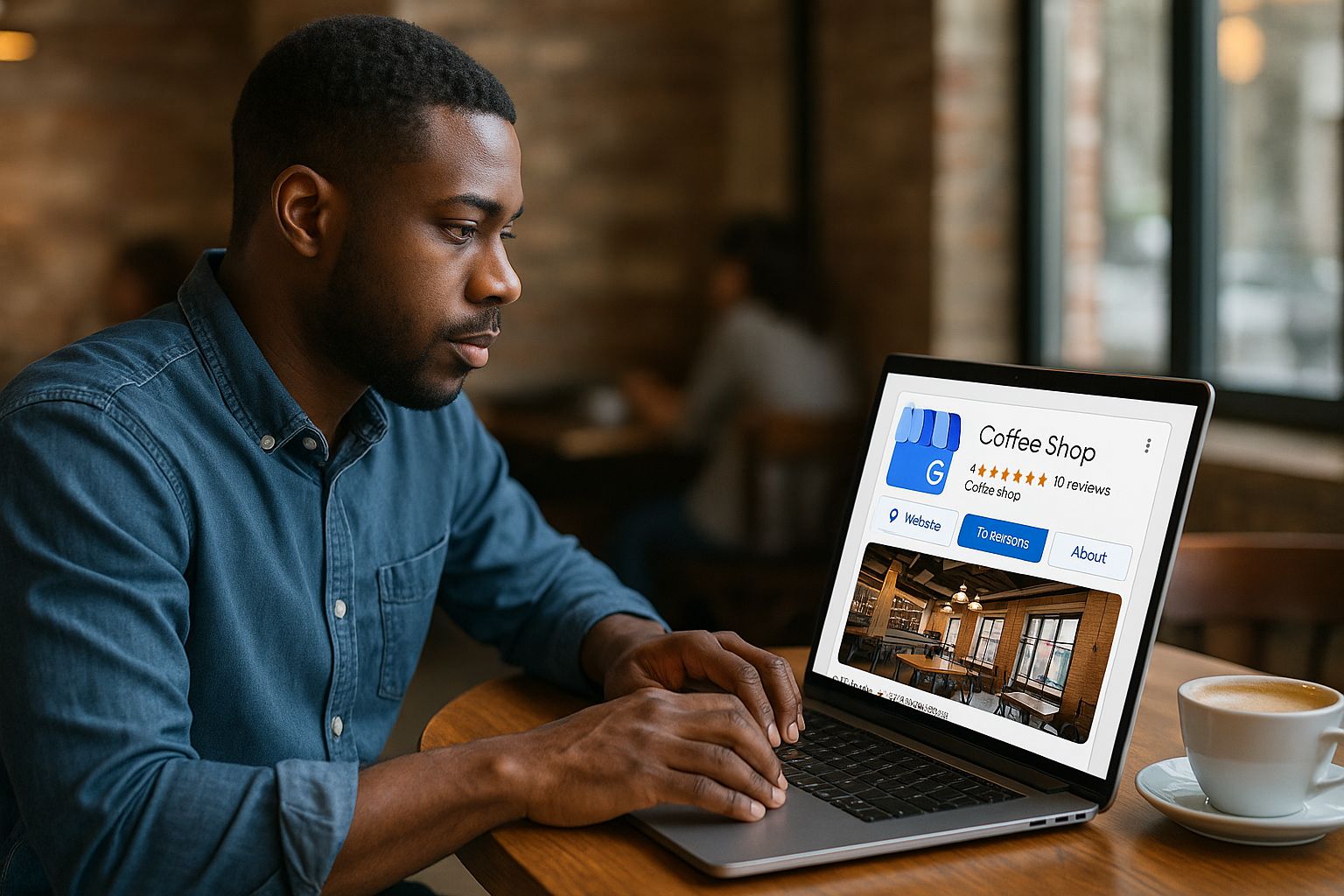
The digital world has changed a lot, and so has the importance of your Google Business Profile. It’s no longer just a good idea, it’s a must-have. In 2025, people want to find all the information about your business immediately, and your GBP is where they go to first. Research has found that businesses with full and optimized profiles get 7 times more clicks than their competitors, and are 70% more likely to get visits to their location.
The 87% Advantage: How GBP Helps Local Businesses Get Found
It’s hard to ignore the stats: 87% of consumers now turn to Google when they’re checking out local businesses before buying. That’s a 12% rise from two years ago, showing how much more crucial Google’s local search ecosystem has become. When people look for “near me” products or services, Google’s algorithm gives priority to businesses with profiles that are complete, active, and well looked after.
Being seen in local search results isn’t enough anymore. Now, you need to stand out. Businesses that have a complete Google profile show up 33% more often in the top three local results, also known as the “Local Pack”. This prime spot on the search results page can bring a lot of traffic to your business. For more insights on optimizing your digital presence, check out this Digital Infrastructure Report.
With the 2025 algorithm updates, the importance of proximity, relevance, and prominence has increased even more. These are the three main factors in local search ranking. By optimizing your Google Business Profile, you can directly influence these important ranking factors. This will put your business in a better position to attract more local traffic that is likely to convert.
What Google Business Profile Can Do for Your Small or Large Business
Think of your Google Business Profile as a complete digital storefront that works for businesses of all sizes. For small businesses with limited marketing budgets, it’s a game changer. It offers the kind of visibility that used to be reserved for large enterprises, but without the cost. For larger enterprises managing multiple locations, it offers sophisticated management tools to maintain brand consistency while catering to local markets. Discover how content-based marketing tools for SMBs can enhance your digital strategy.
Google Business Profile is more than just a simple contact directory. It’s a vibrant marketing tool where you can show off your products, announce new updates, promote special offers, and interact with your customers. In 2025, GBP has grown to include better analytics, AI-driven customer insights, and better integration with the wider Google services ecosystem.
- Direct customer engagement through Q&A, messaging, and review responses
- Real-time updates on business changes (hours, services, safety measures)
- Performance tracking with detailed metrics on customer actions
- Product and service catalog with visual showcases
- Appointment scheduling and booking capabilities
- Posts and offers to drive timely promotions
2025 Updates: Latest Features You Can’t Afford to Miss
Google has rolled out several game-changing features in 2025 that significantly enhance how businesses can interact with customers. The new AI-powered Insight Assistant now provides personalized recommendations based on your specific business type and customer behavior patterns. This feature analyzes your profile performance, customer interactions, and competitive landscape to suggest actionable improvements that can boost your visibility and engagement.
How to Set Up Your Google Business Profile, Step by Step
Getting your Google Business Profile set up right the first time will save you a world of trouble in the future. The setup process for 2025 has been made easier in some respects but demands more comprehensive information in others. Let’s go through each step to make sure you’re laying the groundwork for success.
Setting Up Your Google Account for Business
To set up or claim your Google Business Profile, you must first have a Google Account that’s linked to your business. It’s best to create a new business account instead of using a personal one, even if you already have one. This way, if you need to, multiple people from your team can access the account. Plus, it keeps your personal and business data separate, which is important for professionalism and continuity, especially if there are changes in staff. For more insights on enhancing your business’s digital presence, consider reading about the AI system for small business digital PR.
Locating and Taking Ownership of Your Business Listing
It often comes as a shock to many businesses that a Google Business Profile has already been created for them, either through Google’s automated systems or by customers who’ve checked in at their location. Your first step should be to search for your business name and address on Google. If a listing pops up with an “Own this business?” or “Claim this business” option, you’ll need to claim it instead of creating a new profile. This is to avoid duplicate listings, which can negatively impact your local SEO efforts and confuse potential customers.
How to Verify Your Business: Pick What’s Best for You
Verification is how Google confirms you’re the rightful owner of the business. As of 2025, Google provides several verification methods, each with its own processing time. Postcard verification (3-5 business days) is still the most popular, but there are also phone, email, and instant verification options for qualifying businesses. The latest addition is the video verification option, where you can set up a short live video call with a Google representative to verify your business location and identity right then and there.
Google now allows businesses with multiple locations to verify all of their branches at once. This is a huge step forward for businesses in 2025, as it means they no longer have to go through the tedious process of verifying each location one by one. Plus, Google has introduced a new dashboard that allows businesses to monitor the verification status of all their locations in one place. The dashboard also sends automatic reminders if there are any issues that need to be resolved.
What to Do After Verification
Once you’ve verified your business, it’s time to fill out your profile. This is important for two reasons: it makes your business more visible, and it encourages customer engagement. Google’s algorithm prioritizes complete profiles, and the 2025 ranking factors have started to use profile completeness as a signal of trustworthiness. Plus, the required fields now ask for more detailed information about your business.
The revamped profile completion checklist now boasts over 30 potential fields depending on your business category. These fields cover everything from basic NAP (Name, Address, Phone) information to specific attributes like wheelchair accessibility, outdoor seating, or sustainable practices. The new “Business Story” section gives you the chance to tell the story of your business history and values, helping to forge emotional bonds with potential customers.
Make Your Profile More Appealing to Draw in More Clients
Just having a profile isn’t enough. To really get the most out of your Google Business Profile in 2025, you need to be smart about how you use every part of it. This is where you can use the tricks and techniques of GBP optimization to make your listing into a machine for pulling in customers.
Tips for Business Name, Category, and Description
It is crucial to make sure your business name matches your real-world business name exactly. Keyword stuffing is not only against Google’s policies, but it can also lead to suspension. The 2025 algorithm has improved dramatically in detecting this practice. Instead, concentrate your optimization efforts on choosing the ideal primary category and up to 9 additional categories that accurately describe your business.
You have 750 characters to describe your business. Make the most of this space by putting the most important information in the first 250 characters (what appears before the “Read More” cut-off). Talk about your main services, what makes you unique, and a little bit about your history. But don’t go overboard with keywords, promotional language, or all caps, as this can trigger penalties from the algorithm.
In 2025, Google introduced a new feature called “semantic category matching”. This means that Google can now better understand the relationships between categories and search queries. Therefore, it is now more important than ever to select the right category to appear in relevant searches.
Setting Up Contact Information and Business Hours
It’s crucial to ensure that your phone number, website URL, and physical address are accurate. Google will cross-check this information across the internet, and if there are any inconsistencies, it could negatively impact your local ranking. You can see how consistent Google finds your information across the web by checking the “confidence score” in your backend dashboard.
Pay extra attention to your hours of operation in 2025, because Google has started to prioritize this field for the sake of user experience. Make sure to include your regular hours, any special hours for holidays, and any temporary changes. Google has a new feature called “Busy Hours” that automatically shows when your business is busiest based on location data, but now you can manually adjust these if they don’t accurately reflect your business patterns.
Setting Up Your Service Area for Mobile Businesses
If you’re a business that serves customers at their locations, instead of at a physical store, it’s important to correctly set up your service area. The 2025 update gives you more control, allowing you to set up service areas by postal codes, cities, or a custom radius. You can also set up different service areas for different services. This is a big deal for businesses like contractors who might offer some services regionally, but others only locally. For more insights on modern market strategies, check out this Digital Infrastructure Report.
For those businesses on the go, make sure to use the new “Service Radius Priority” feature. This feature allows you to specify which parts of your service area are preferred. This helps Google match you with more relevant local queries in areas where you most want to work.
Optimal Google Business Profile Picture Strategy
Companies with pictures receive 42% more direction requests and 35% more clicks to their website than those that don’t. By 2025, Google has added more photo categories and improved the AI that evaluates image quality and relevance. To maximize your visibility, upload high-quality pictures in all available categories, such as exterior shots from various angles, interior shots, team pictures, and product/service pictures. Learn more about how AI can improve marketing ROI and enhance your business profile.
The “360° Virtual Tour” feature has become increasingly popular and effective in 2025. Businesses that have utilized this feature have seen a significant 30% increase in customer engagement on average. The platform now allows for video uploads of up to 60 seconds, providing you with the opportunity to give your customers a dynamic view of your business. This feature is particularly useful for restaurants, retail businesses, and service demonstrations.
How to Highlight Your Products and Services
In 2025, Google Business Profile has greatly expanded the features in the Products and Services sections. Now, you can add detailed attributes to your product catalog, such as price ranges, availability, and variants. Services can be categorized, priced, and directly linked to booking options. Both sections can also include rich media, so you can attach specific images or videos to individual products or services. This detailed approach helps potential customers find exactly what they need without leaving your profile.
Google Business Profile Features That Encourage Customer Engagement
The main thing that makes Google Business Profile stand out in 2025 is its transformation from a simple directory listing to a dynamic platform. The features we will be discussing in this section are designed to actively engage potential customers and encourage them to take actions such as making calls, visiting websites, and making direct bookings. This transformation can be seen as part of a broader trend where cutting-edge business growth engines are leveraged to enhance customer interaction and engagement.
Businesses that take full advantage of these proactive features see a 43% increase in conversion rates from profile views to customer actions, on average. These features effectively turn your GBP from a static information source into a dynamic sales channel that operates 24/7 to convert interest into action.
- Google Posts for timely promotions and updates
- Q&A section for addressing common customer queries
- Appointment booking for service-based businesses
- Direct messaging for immediate customer engagement
- Call tracking to measure phone lead generation
- Quote requests for service providers
The key to success with these features is consistent management and rapid response. Google’s algorithm monitors engagement metrics like response time and interaction rates, using them as signals of business quality and reliability. Businesses that maintain high engagement standards receive preferential treatment in local search results.
Google Posts: Your Personalized Social Media Platform
Google Posts act as your personalized micro-blogging platform within the search results. In 2025, Posts have become more important in the customer journey, appearing more prominently in both mobile and desktop search experiences. You can create various types of Posts—What’s New, Offers, Events, or Products—each with unique formatting and call-to-action options. The 2025 update brought post scheduling, letting you schedule and automate your content calendar up to six months ahead.
Q&A Section: Answering Questions Before They Call
The Q&A section has become increasingly influential in customer decision-making. According to recent studies, 74% of consumers consult this section before contacting a business. The 2025 update introduced “Suggested Questions,” where Google’s AI proposes common questions for your business category that you can proactively answer. You can now also pin the most important Q&As to the top of the section, ensuring critical information is immediately visible.
Booking and Appointment Features
Google has revamped its appointment booking feature in 2025, offering more integration options with third-party scheduling systems and enhancing its native booking capabilities. Businesses that activate this feature have seen a 37% increase in appointments compared to those that require phone calls or website visits to book. The feature now supports multi-staff scheduling, resource allocation, and automatic reminders, making it a one-stop booking solution right within your Google profile. For businesses looking to enhance their digital infrastructure, expert analysis shows that integrated digital infrastructure is crucial for success.
Case Study: Summit Salon’s Booking Success
Summit Salon implemented Google’s enhanced booking features in January 2025 and saw a 64% increase in new client appointments within the first three months. Their no-show rate decreased by 31% thanks to the automated reminder system, and staff reported saving 9 hours weekly that was previously spent on phone bookings.
The most recent update also brought in conditional booking logic. This lets businesses make custom booking workflows that depend on the type of service, how long it lasts, or who the provider is. It’s been especially helpful for complex service businesses. This includes medical offices, spas, and consultancies. They need specific information before they can make appointments. For more insights on optimizing your business profile, visit this Google Business Profile Optimization guide.
Food and beverage businesses now have the option to directly integrate their reservation systems with Google. This allows customers to book a table without having to leave the search results. The system is capable of supporting party size, special requests, and even pre-ordering options for restaurants that offer this service.
For retail businesses, the new “Shopping Appointments” feature allows customers to book personal shopping sessions, product demonstrations, or consultation appointments. This bridges the gap between online discovery and in-store experience, creating a seamless path to purchase. Learn more about how integrated digital infrastructure can enhance customer engagement and business growth.
Getting Started with Direct Messaging
Google’s messaging feature has grown into a robust customer service tool. The 2025 version includes automated responses for frequently asked questions, alerts for business hours, and compatibility with popular CRM systems. You can now set up team access, which lets multiple employees respond via the Google Business Profile Manager app or desktop interface. Response time analytics help you keep track of performance, with the coveted “Usually responds in minutes” badge appearing on profiles that consistently reply quickly.
Guide to Managing Reviews
Reviews are now the backbone of a local business’s reputation, with 93% of consumers checking reviews before they buy. Google’s 2025 review system puts more weight on how recent a review is, how good it is, and how the business responds. So, if you want to succeed in local search, you need to actively manage your reviews.
Google’s algorithm now takes into account the speed at which you receive new reviews, in addition to your overall rating, when deciding your local ranking. This means that regularly collecting new reviews is just as crucial as keeping a high star rating. Businesses that adopt a systematic approach to generating reviews gain a considerable competitive edge in terms of both visibility and conversion rate.
Resolving Typical GBP Issues
Despite your best efforts to set everything up correctly, issues with your Google Business Profile can still pop up, impacting your visibility and the experience of your customers. Knowing how to swiftly spot and fix these issues is key to keeping your online presence intact. The 2025 GBP system has made many troubleshooting processes more straightforward, but it’s still vital to know the right channels and procedures.
Typical problems include stumbling blocks during the verification process, wrong business details showing up despite your corrections, duplicate listings that conflict with each other, and fake reviews that harm your image. Each of these issues needs a specific method and path to resolution, frequently involving Google’s support systems or particular actions within your GBP dashboard.
Business owners often complain about delays in verification, sudden suspensions of their profiles, and unexpected changes to their information by the elusive “Google knows best” algorithm. Thankfully, Google has stepped up its game in 2025 by enhancing its support system. They have provided more comprehensive help documentation, quicker response times, and a new AI-powered troubleshooting assistant that you can access directly from your business dashboard.
Overcoming Verification Hurdles
It’s no secret that the most frequent hurdle new GBP users face is verification issues. If you’re waiting on a postcard that never shows up, you can request a new one after 14 days. The 2025 system now includes a tracking feature for verification postcards, so you can see exactly where yours is in the delivery process. If you’re a business that’s dealing with repeated verification failures, there’s a new “Verification Escalation” form that puts you directly in touch with Google’s specialized verification team. They can offer alternative verification methods or manually review your case.
Handling Wrong Information
If Google continues to show wrong information even after you’ve made changes, it’s likely that it’s drawing from third-party data sources that it deems reliable. The 2025 “Sources of Information” feature now lets you see precisely which external sites are giving conflicting information to Google. To fix these conflicts, you’ll have to correct your information on those third-party sites, then use the “Propose a Change” feature to point out the wrong information directly to Google, stating that you’ve fixed the source of the conflict.
Dealing with Duplicate Listings
Duplicate listings can water down your reviews, confuse your customers, and can seriously damage your local search ranking. The GBP system of 2025 has an enhanced duplicate detection tool that automatically finds potential duplicates of your business. When discovered, you can either claim the duplicate (if it’s legitimate but unclaimed) and then merge it with your main listing, or report it as a duplicate through the “Suggest an Edit” option. For particularly persistent duplicates, the Google Business Profile support team can manually review and remove them after you provide proof that they represent the same business entity.
How to Report and Remove False Reviews
The fight against false reviews has heated up in 2025, with Google rolling out more advanced detection algorithms. If you receive reviews that break Google’s rules (spam, off-topic, conflict of interest, or inappropriate content), immediately flag them via the review management section of your dashboard. The new “Review Defense” feature lets you provide evidence when you report suspicious reviews, such as documentation of attempted blackmail or proof that the reviewer never patronized your business. While Google won’t remove negative but truthful reviews, they have become more active in removing those that clearly break their rules. For more details, visit Google’s support page on how to manage and flag reviews.
Maximize Your Google Business Profile
After you’ve gotten the hang of managing your Google Business Profile, it’s time to step up your game and implement strategies that will help you stand out from your competition. Top businesses are using GBP as a main component of their digital marketing strategy, connecting it with other platforms and using it to drive targeted traffic. The businesses that are seeing the best return on investment from their profiles in 2025 are the ones that are treating GBP not as a static directory listing but as an active marketing channel that requires regular optimization, updates, and alignment with larger business goals.
Weekly and Monthly Maintenance Schedule
Setting up a routine maintenance schedule ensures that your profile remains current and engaging. Weekly tasks should include posting new content (aim for 1-2 Google Posts per week), responding to new reviews within 24 hours, answering Q&A submissions, and checking your messaging inbox. Monthly maintenance should involve updating photos (replace at least 3 images monthly), reviewing and refreshing your service/product listings, analyzing your insights for performance trends, and conducting a competitor analysis to identify new opportunities. Quarterly activities should include a comprehensive audit of all profile information, updating seasonal hours or offerings, refreshing your business description to reflect current priorities, and reviewing your category selections to ensure they still accurately represent your business focus.
Merging Your GBP With Your Website and Social Media
To make the most out of your Google Business Profile, it should be in sync with your website and social media platforms. The 2025 GBP API provides more opportunities for integration than ever before. By installing the Google Business Profile widget on your website, you can display your reviews, opening hours, and location map. This not only builds trust with your visitors but also ensures that your information is consistent across all platforms. You can also create a review funnel by encouraging satisfied customers on your social media platforms to leave Google reviews. You can then share these positive Google reviews on your social platforms. The new “Content Sync” feature allows you to automatically push updates from your website to your GBP and vice versa. This ensures that your information is always up-to-date, without you having to do any extra work.
Maximizing Google Ads for Your Business Profile
Google Business Profile and Google Ads have become a powerful duo in 2025, offering advanced targeting and performance improvements. The “Local Campaign” ad type is especially useful for increasing your GBP visibility for relevant searches, displaying your business at the top of local results with enhanced features like special offers and direct booking buttons. Performance Max campaigns now include GBP-specific extensions that can showcase specific services or products directly from your profile catalog. For maximum effect, use the “Local Inventory Ads” feature to display in-stock products to nearby shoppers, creating a seamless transition between online discovery and in-store purchases that takes advantage of the trust built by your well-maintained Google Business Profile.
Commonly Asked Questions
With the ongoing changes in Google Business Profile in 2025, it’s only natural for business owners to have questions about how to best use the platform, navigate its technical aspects, and optimize their profiles. Here are the most frequently asked questions we get about managing GBP in today’s digital world.
What is the duration of Google Business Profile verification in 2025?
- Postcard verification: 5-7 working days (now with tracking)
- Phone verification: Instant to 24 hours (availability depends on business category)
- Email verification: 1-3 working days (limited availability)
- Video verification: Same day (needs an appointment)
- Instant verification: Instant (only for businesses with verified Google Search Console)
In 2025, verification timelines have become better with the introduction of real-time tracking for postcards and more businesses being eligible for faster verification methods. The verification methods available to you depend on your business category, location, and your account history with Google.
Should your verification process be taking longer than you anticipated, you can check the GBP Support portal for any reported system issues. From time to time, Google may experience delays in verification processing during periods of high volume or system updates.
Google has implemented a Priority Verification channel for businesses that can provide evidence of a legitimate urgency, such as when verification delays are significantly impacting business operations. This process requires additional documentation but can speed up the process considerably. For more insights on how digital infrastructure can support business success, consider reading this expert analysis.
Is it possible to manage multiple business locations from a single account?
Indeed, Google Business Profile in 2025 provides strong multi-location management capabilities through the Business Profile Manager dashboard. You can include up to 100 locations under one account, with bulk verification options available for businesses with more than 10 locations. The improved location groups feature enables you to organize locations by region, type, or custom categories for easier management and bulk updates. For enterprise businesses with hundreds or thousands of locations, the API and bulk management tools have been greatly enhanced, supporting mass updates to hours, posts, and other common fields.
Big businesses with multiple locations might want to think about assigning managers to each location while still keeping a central authority. The new and improved permission system lets the main office decide what the local managers can change, while making sure they can’t change anything that’s important to the brand. For more insights on maintaining a cohesive digital strategy, consider exploring how integrated digital infrastructure can support business success.
What if I find a Google Business Profile for my business that I didn’t create?
If you come across a Google Business Profile for your business that you didn’t create, don’t panic. Instead of reporting it, you should claim it through the normal verification process. Google allows users and its own algorithm to create listings for businesses they find, so it’s not unusual or necessarily harmful to find an existing listing. Once you’ve verified the listing, you can fix any incorrect information. The verification process will confirm that you’re the real owner, overriding any previous managers.
If your profile has been hijacked or someone is trying to impersonate your business, you can report the issue through Google Maps. Just look up your business and click on “Report a Problem.” Choose “This isn’t my business, but I work here” and then “Claim this business.” Google’s business support team will look into your case and may ask for more proof that you’re connected to the business. If they think there might be fraud going on, they’ll use the new “Business Identity Protection” process to quickly help you get rid of the fake listing.
Can I still use Google Business Profile for free in 2025?
Yes, Google Business Profile is still free for all businesses in its basic version. The key features—such as creating a listing, verifying it, posting updates, managing reviews, insights, and customer messaging—are still offered for free. This inclusive approach enables businesses of all sizes to have a presence in Google’s ecosystem without any financial obstacles. The platform still operates on Google’s basic business model of making money through the advertising ecosystem, rather than making businesses pay for visibility. For more insights on how businesses can thrive, read this expert analysis on integrated digital infrastructure.
Yet, in 2025, Google has debuted additional premium features that provide advanced capabilities for businesses that need more sophisticated tools. These optional paid features include advanced analytics with competitive benchmarking, AI-powered review response assistance, enhanced appointment booking systems, and priority support channels. These premium features are designed to complement the free offering rather than replace it, ensuring that the essential GBP services remain accessible to all businesses regardless of budget.
How often should I update my Google Business Profile?
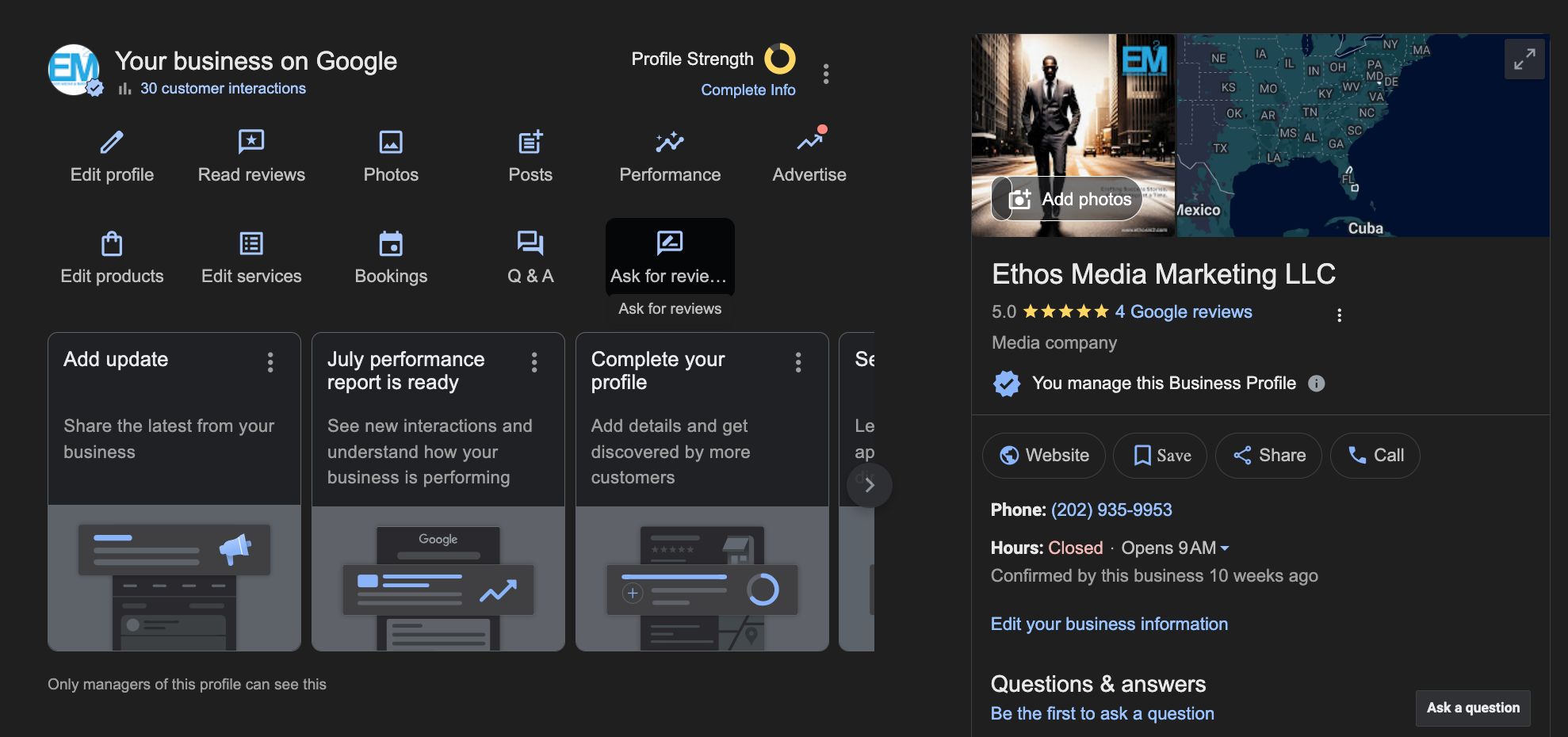
To stay competitive in 2025’s local search landscape, you need to keep your Google Business Profile updated with both scheduled, routine updates and real-time adjustments as needed. At the very least, post new content weekly via Google Posts, respond to all new reviews within 24 hours, and update photos monthly to keep the algorithm and your customers happy. If there are any changes in your operations—like hours, services, or contact information—update them right away to avoid upsetting customers and getting negative reviews. For more detailed guidance, you can refer to Google Business Profile optimization tips.
If you’re running a seasonal business, it’s crucial to keep your special hours for holidays and seasonal operation times updated, ideally at least 30 days in advance. Google Business Profile’s new “Seasonal Services” feature is perfect for you. It lets you showcase your special offerings during specific seasons without making your year-round service list look messy.
Companies that are getting the most out of their Google Business Profiles in 2025 are the ones that are using it as an active marketing channel. This involves updating your business description every three months, doing a competitor analysis every month to find ways to improve, and using the insights data to constantly tweak your strategy.
Keep in mind that Google’s algorithm is more and more leaning towards profiles that show regular activity and engagement. Every interaction you make, whether it’s posting updates, answering questions, or responding to reviews, sends a signal to Google that your business is active and paying attention. This could potentially boost your local search ranking. Localo’s management tools can help you automate and strengthen your Google profile for long-term results and improved local visibility. For more on how automation can improve your marketing strategy, check out this article on increasing organic traffic with AI.