Article-At-A-Glance
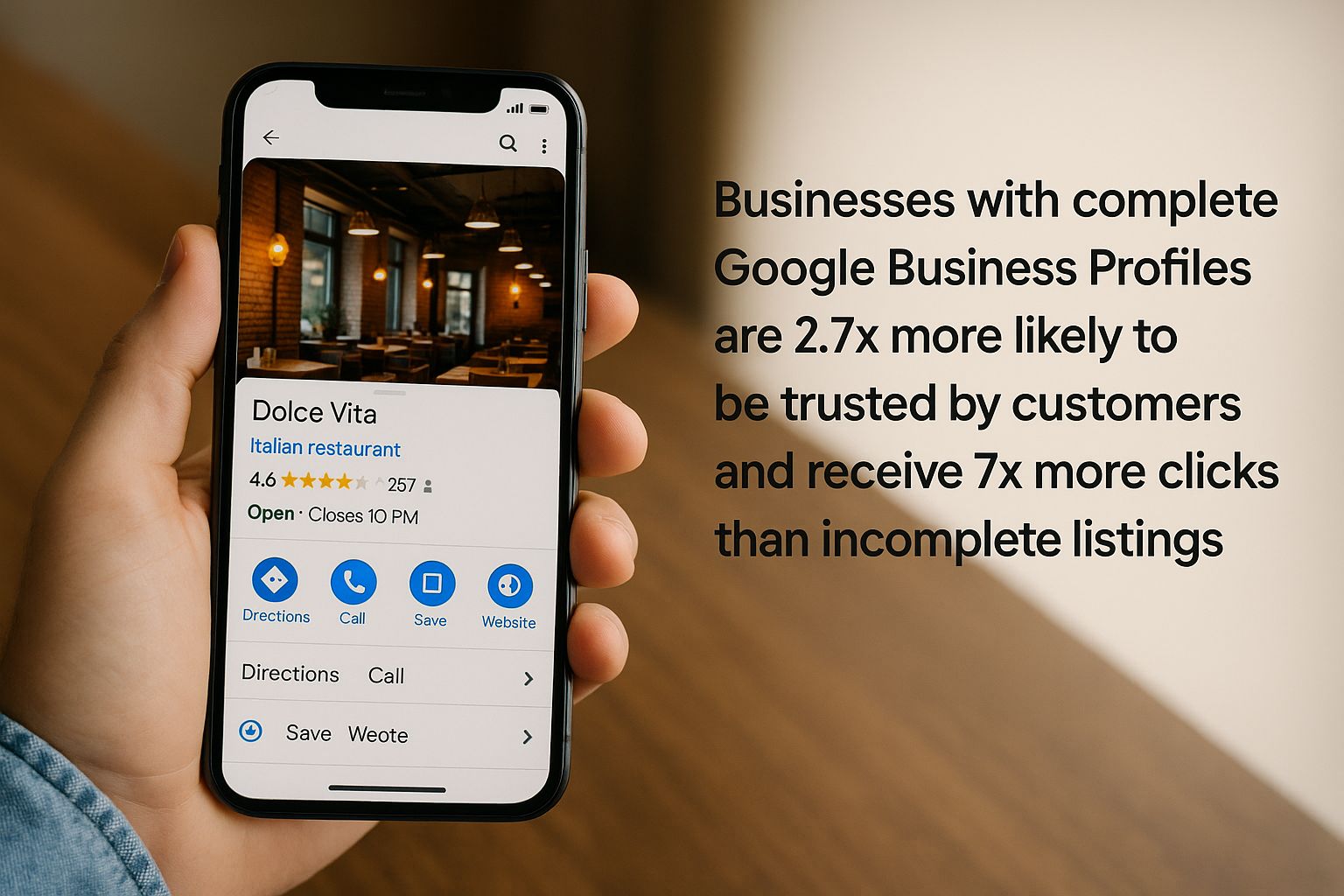
- Businesses with complete Google Business Profiles are 2.7x more likely to be trusted by customers and receive 7x more clicks than incomplete listings
- 46% of all Google searches have local intent, making GBP optimization critical for visibility in your service area
- Key features like business descriptions, category selections, and attributes are underutilized by 60% of businesses despite their proven impact on customer engagement
- The Google Messages feature creates a direct communication channel that can dramatically improve conversion rates when properly managed
- Strategic use of GBP analytics tools can transform your local marketing strategy by revealing customer behavior patterns and search trends
Looking for the hidden lever that could instantly boost your business visibility? It’s probably sitting right in your Google Business Profile dashboard, gathering digital dust. While 92% of local SEO marketers offer Google Business Profile management services, most business owners leave powerful features completely untouched.
Local visibility isn’t just important—it’s essential. With 46% of all Google searches having local intent, your Google Business Profile serves as your digital storefront for nearly half of all potential customers. At Chatmeter, we’ve analyzed thousands of business profiles and discovered that the difference between mediocre and exceptional local performance often comes down to a handful of underutilized GBP features.
The Hidden Power of Google Business Profile Your Competitors Don’t Use
The statistics are striking: businesses with complete Google Business Profiles are 2.7x more likely to be trusted and get 7x more clicks than those with partial information. Yet astonishingly, 60% of businesses haven’t posted a single update on their profiles. This disconnect creates a significant competitive advantage for those who fully leverage what GBP offers.
Think of your Google Business Profile as more than just a listing—it’s a dynamic marketing platform that influences how customers perceive your business before they ever visit your website. Every feature serves a strategic purpose in the customer journey, from discovery to decision-making, and finally to conversion.
Why Most Businesses Leave Money on the Table with Their GBP
Most businesses set up their Google Business Profile with only the basic information and never revisit it. They treat GBP as a simple directory listing rather than the powerful marketing tool it actually is. This minimal approach leaves significant opportunities untapped.
- Lack of awareness about available features
- Perception that basic NAP (Name, Address, Phone) information is sufficient
- Uncertainty about how to properly optimize each section
- No consistent schedule for updates and maintenance
- Failure to connect GBP strategy with overall marketing goals
This oversight is costly. When customers can’t find critical information about your business, they simply move on to competitors. In today’s instant-gratification economy, information gaps translate directly to revenue losses.
The Real Cost of an Incomplete Profile
An incomplete Google Business Profile doesn’t just mean missed opportunities—it actively damages your business reputation. Studies show that customers are 70% more likely to visit businesses with complete profiles and 50% more likely to consider purchasing from them. This means incomplete profiles are essentially driving customers away.
Consider this: if your business averages 1,000 profile views monthly, an incomplete profile could be costing you hundreds of potential customers. With each profile view representing a person actively seeking what you offer, these aren’t just random visitors—they’re high-intent prospects at the decision stage of their buying journey.
The math becomes even more compelling when you factor in your average customer value. For service businesses where each new client might represent thousands in lifetime value, even a small improvement in conversion rate from GBP views can translate to significant revenue growth.
What Happens When Customers Can’t Find Your Information
The modern customer expects immediate answers. When they search for your business and can’t quickly find your hours, services, or contact information, 88% will move on to a competitor within seconds. This impatience translates into a simple reality: information gaps become customer leaks.
Without complete information, potential customers face unnecessary friction. They might wonder: “Are they open now?” “Do they offer the specific service I need?” “Can I trust this business?” Without clear answers readily available in your GBP services, these questions become reasons to look elsewhere.
“The most expensive thing in business isn’t providing information—it’s when customers can’t find the information they need to make a purchase decision.”
5 Essential Visibility Features You’re Probably Missing
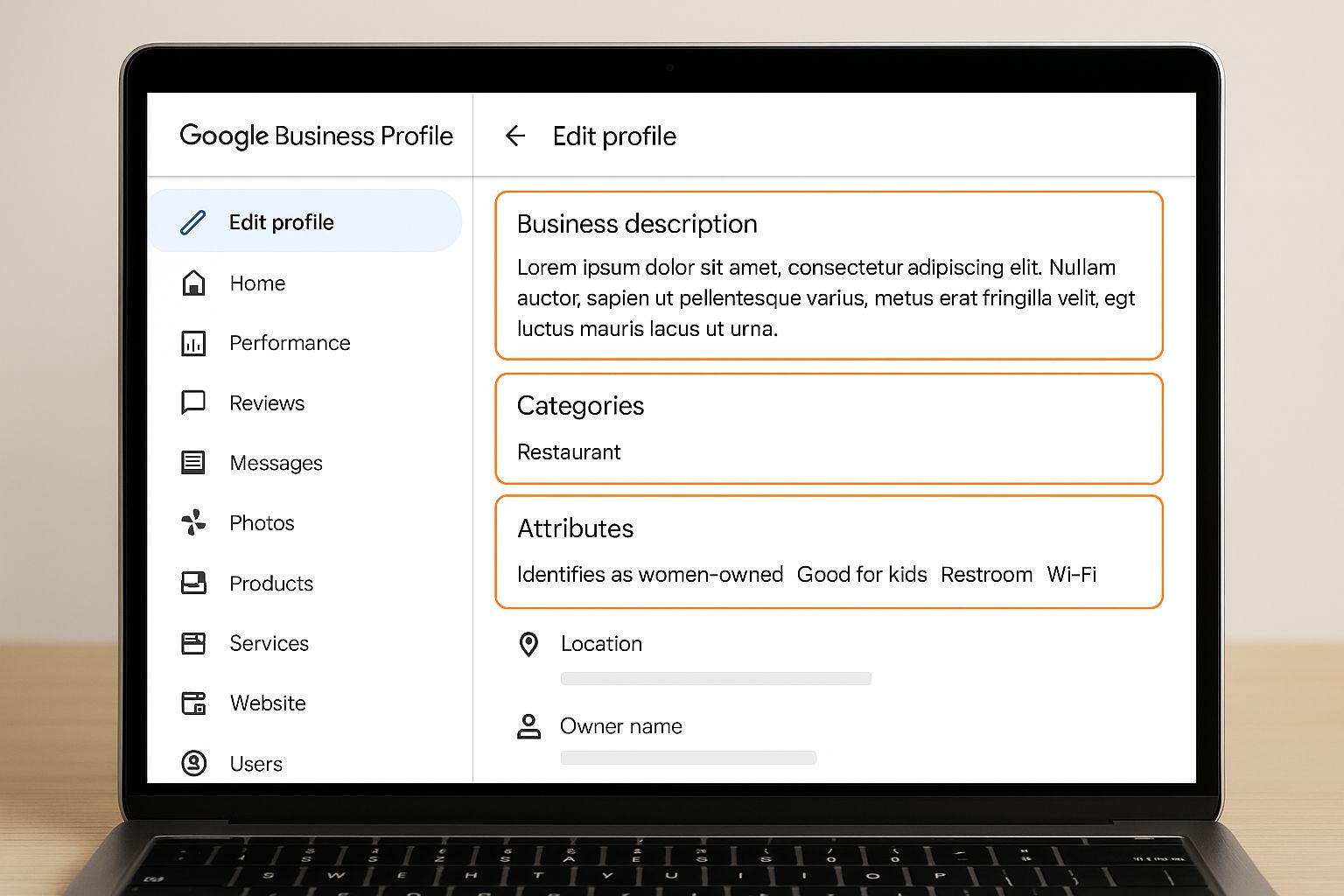
Your Google Business Profile contains several powerful visibility boosters that most businesses overlook entirely. These features don’t just help customers find you—they help Google understand exactly what your business offers and who should see it in search results. Let’s examine the five most impactful yet underutilized visibility features.
1. Business Description: Your 750-Character Sales Pitch
Your business description is a powerful 750-character opportunity to tell your story and highlight what makes you unique. Astonishingly, research shows that 75% of top-ranking pages have complete descriptions, yet most businesses either leave this blank or fill it with generic information. This is prime real estate to incorporate keywords naturally while conveying your value proposition.
The description appears prominently when customers click to learn more about your business. Unlike your website copy that visitors might never reach, your GBP description is often the first substantive information potential customers read about you. Make it count by highlighting unique selling points, special certifications, your history, or your approach to customer service.
2. Complete Category Selection (Beyond Your Primary Category)
While most businesses select their primary category, Google allows you to add up to nine additional categories that can significantly expand your visibility. These secondary categories help you appear in more specific searches. For example, a restaurant might select “Italian Restaurant” as the primary category, but adding “Pizza Restaurant,” “Pasta Restaurant,” and “Catering Service” as secondary categories captures more varied search intent.
Category selection directly impacts which searches trigger your listing. Google’s algorithm uses these categories as major ranking factors for local search queries. The more precise your category selection, the more likely you’ll appear for highly relevant searches with stronger conversion potential.
3. Attributes That Make Your Business Stand Out
Attributes are specific features or characteristics of your business that help customers make decisions. These range from “Wheelchair accessible” to “Woman-owned” to “Outdoor seating.” Google continually adds new attributes based on industry and customer search patterns, yet most businesses fail to update these regularly.
These attributes appear as icons or highlights on your Business Profile, making them powerful visual cues that can influence customer decisions in seconds. They also function as search filters, meaning customers specifically filtering for businesses with these attributes will only see listings that have marked them. This makes attributes both a visibility and a conversion optimization tool. For more insights, check out this guide on Google Business Profile services.
- Accessibility attributes (wheelchair accessible, restroom access)
- Payment attributes (contactless payment, accepts credit cards)
- Health & safety attributes (staff wears masks, temperature checks)
- Service attributes (offers delivery, curbside pickup)
- Diversity attributes (veteran-owned, LGBTQ+ friendly)
4. Products Catalog Integration
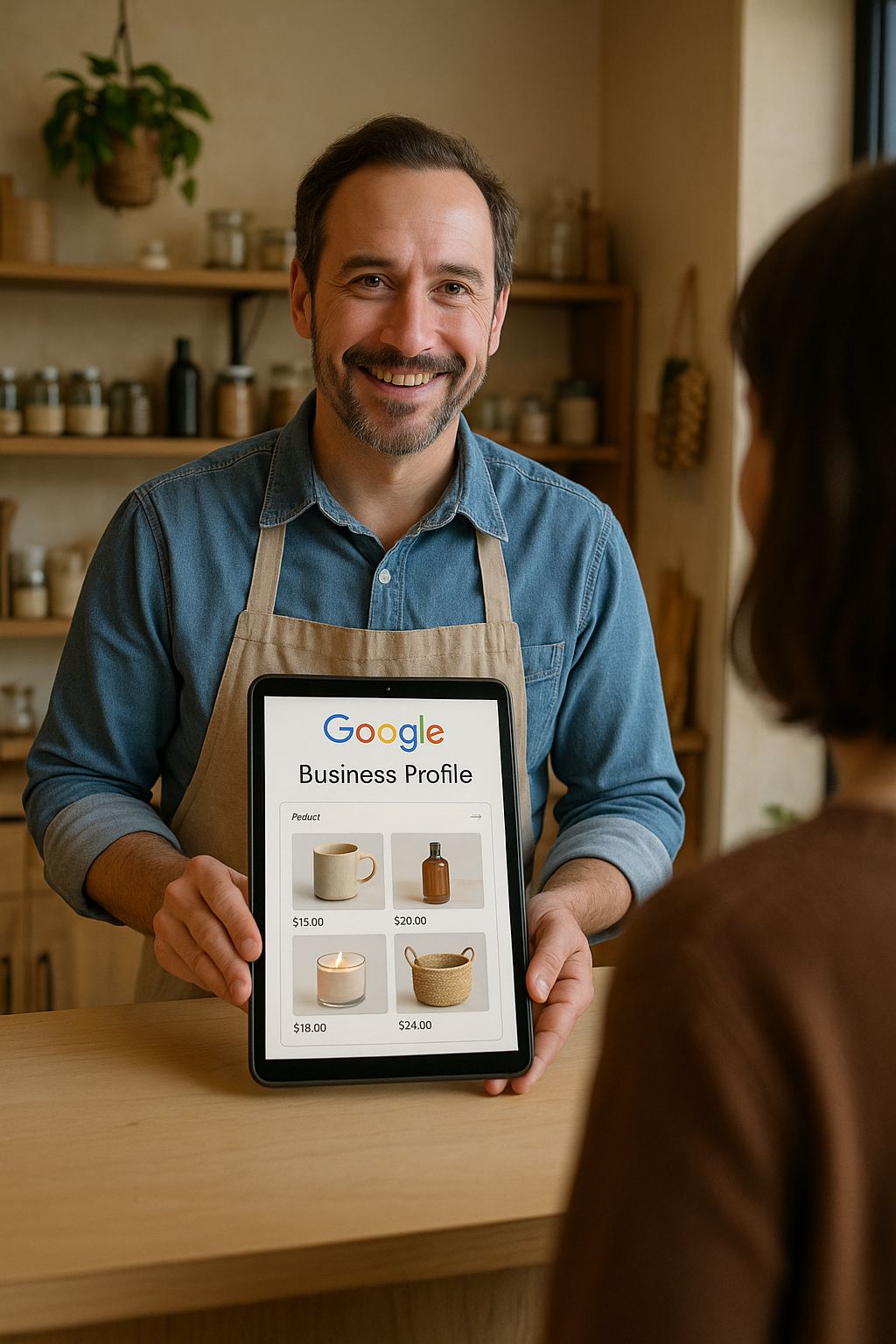
The products feature allows you to showcase specific items directly on your Google Business Profile, complete with images, descriptions, and even prices. This creates a browsable catalog right within Google, eliminating steps in the customer journey. Despite its power, less than 30% of eligible businesses utilize this feature effectively.
5. Service Area Specification for Local Targeting
For service-based businesses that travel to customers, specifying your service areas is critical for appearing in “near me” searches. You can add up to 20 service areas based on cities, postal codes, or other geographic boundaries. This precision targeting ensures you only appear in searches where you actually provide services, improving the quality of your leads.
5 Customer Engagement Features That Drive More Sales
Beyond visibility, Google Business Profile offers robust tools for direct customer engagement. These features transform your profile from a passive information source into an active conversion platform. Each of these engagement tools creates an opportunity to move customers closer to a purchase decision while reducing friction in their journey.
1. Google Messages: The Direct Line Most Businesses Ignore
The Messages feature allows customers to text your business directly from your Google Business Profile. This creates an immediate, frictionless communication channel that customers increasingly prefer over phone calls. Studies show that businesses that enable messaging see a 5-10% increase in conversion rates from their Google Business Profiles.
Despite its effectiveness, the Messages feature remains one of the most overlooked GBP tools. Many businesses either don’t activate it or fail to respond promptly to incoming messages. Setting up automatic welcome responses and ensuring messages are answered within 24 hours can significantly impact customer acquisition.
2. Q&A Section Management
The Q&A section on your Google Business Profile is essentially a public FAQ that anyone can contribute to. The critical fact most businesses miss is that anyone can answer these questions too – including competitors or misinformed individuals. Proactively monitoring and answering these questions ensures accurate information and demonstrates your attentiveness.
A strategic approach is to seed your own Q&A section with common customer questions and comprehensive answers. This not only provides immediate value to searchers but also prevents misinformation. Questions and answers with multiple upvotes appear more prominently, creating an opportunity to highlight information that addresses common barriers to purchase.
3. Regular Posts and Updates
Google Posts function like social media updates directly on your Business Profile, allowing you to share news, events, offers, and updates that appear prominently when customers view your listing. These posts remain visible for seven days (or until an event ends) and can include images, text, and call-to-action buttons.
The engagement statistics for Google Posts are impressive, with businesses that post weekly seeing 5-10% higher interaction rates on their profiles. Yet remarkably, 60% of businesses have never published a single post. This creates a significant competitive advantage for those who maintain a consistent posting schedule.
- Offer posts: Share limited-time promotions with percentage or dollar-amount discounts
- Update posts: Announce new products, services, or business changes
- Event posts: Promote upcoming workshops, sales events, or community activities
- What’s New posts: Share industry insights, tips, or behind-the-scenes content
Posts also serve a secondary function as ranking signals to Google, indicating your profile is actively maintained. This freshness factor can positively influence your local search rankings, creating a virtuous cycle of increased visibility and engagement.
4. Appointment Booking Links
The appointment booking feature integrates your scheduling system directly with your Google Business Profile, allowing customers to book services without leaving Google. This reduction in friction dramatically increases conversion rates, as each additional step in a booking process typically results in a 10-15% drop-off rate. Learn more about optimizing your Google Business Profile for better customer engagement.
5. Review Response Strategy
While most businesses understand the importance of getting reviews, responding to them strategically is equally vital. Google explicitly states that responding to reviews improves your local SEO, yet only about 40% of businesses respond to their reviews consistently. Each response is an opportunity to demonstrate your customer service values and address concerns publicly.
3 Analytics Tools That Transform Your Marketing Strategy
Your Google Business Profile isn’t just a listing—it’s a powerful analytics platform that reveals exactly how customers find and interact with your business. These insights can fundamentally reshape your broader marketing strategy by revealing patterns and opportunities that might otherwise remain hidden. The data available through GBP offers a level of local marketing intelligence that many paid tools can’t match.
1. Customer Actions Insights
The Insights dashboard reveals exactly what actions customers take after finding your profile: calling your business, requesting directions, visiting your website, or sending messages. This direct attribution data shows which customer actions are most common, allowing you to optimize accordingly.
|
Customer Action |
Average Engagement Rate |
Business Impact |
|---|---|---|
|
Website Clicks |
5-7% of profile views |
Digital conversion opportunity |
|
Direction Requests |
3-5% of profile views |
High-intent store visit likely |
|
Phone Calls |
2-4% of profile views |
Immediate sales opportunity |
|
Message Requests |
1-2% of profile views |
Research stage, needs nurturing |
This behavioral data reveals crucial insights about your customer journey. For instance, if you notice a high rate of direction requests but lower-than-expected store visits, you might have navigation issues or exterior visibility problems. Similarly, if website clicks are high but conversions remain low, your website may not be effectively continuing the journey that began on your Google Business Profile.
Understanding which actions customers take most frequently also helps prioritize your optimization efforts. If most customers call directly from your profile rather than visiting your website, investing in call handling training may yield better returns than website improvements.
2. Search Query Data
Google Business Profile shows you exactly what search terms customers use to find your business. This invaluable keyword data reveals the specific language your customers use and the intent behind their searches. This information should directly inform your content strategy, paid search campaigns, and even product positioning.
3. Photo Performance Metrics
The photo insights section reveals how your visual content performs compared to competitors, including view counts and engagement rates. Images dramatically impact customer decisions, with listings that include photos receiving 35% more clicks to the website and 42% more direction requests than those without.
This comparative data helps you understand not just how many photos you should have, but what types of images resonate most with your audience. For restaurants, food close-ups might drive engagement, while service businesses might see better results from team photos or completed project images.
2 Profile Management Features That Save Time
Effective Google Business Profile management doesn’t require hours of weekly work. Google provides several automation and management features that streamline maintenance while ensuring your profile remains optimized. These efficiency tools allow even small businesses without dedicated marketing staff to maintain an exceptional GBP presence.
When properly configured, these management features reduce the administrative burden while ensuring you never miss critical customer interactions or important updates. The time saved can then be redirected toward strategic improvements rather than routine maintenance.
1. Business Notifications and Alerts
Google’s notification system alerts you to critical profile activity like new reviews, photos added by customers, or Q&A contributions. These notifications can be configured to go directly to your email or phone, ensuring you never miss important customer interactions. Setting up proper alerts transforms your profile management from reactive to proactive, allowing you to address issues before they impact your reputation.
The notification center also highlights suggested edits to your business information. These suggestions might come from users or Google’s own systems that detect potential inaccuracies. Regularly reviewing these suggestions prevents misinformation from being published to your profile, which could misdirect customers or damage trust.
2. Manager Access Controls
The access management feature allows you to grant specific permissions to team members without sharing your primary Google account credentials. This creates accountability and security while distributing management responsibilities. You can assign roles like primary owner, manager, or site manager, each with different permission levels for posting, responding to reviews, or editing business information.
For multi-location businesses, this feature is particularly valuable, allowing centralized oversight while enabling local managers to update location-specific details. The activity log shows which team member made specific changes, creating a clear audit trail for all profile modifications.
How to Activate and Optimize Each Feature Today
Transforming your Google Business Profile from basic to exceptional doesn’t require months of work. Many of these powerful features can be activated and optimized in a single afternoon, creating immediate improvements in your local visibility. The key is approaching your profile optimization systematically, focusing on the highest-impact elements first.
First Steps: Verifying Your Profile Correctly
Before accessing all GBP features, you must fully verify your business ownership. While 90% of businesses complete the basic verification, many miss the additional verification steps required for certain industries or features. The verification process typically involves receiving a physical postcard with a PIN at your business address, though some businesses qualify for phone or email verification.
After verification, immediately conduct a comprehensive audit of your existing profile. Check for outdated information, missing fields, or inaccurate categorization. Pay special attention to your business hours, contact information, and primary category—the three elements that most directly impact customer actions.
Weekly Maintenance Schedule for Optimal Results
The most successful local businesses follow a consistent maintenance schedule for their Google Business Profile. Monday mornings are ideal for posting weekly specials or updates, as this timing captures both the beginning-of-week planning audience and remains visible through mid-week. Wednesday or Thursday is perfect for responding to any accumulated reviews, ensuring responses happen within a reasonable timeframe but are batched for efficiency.
Set a recurring monthly calendar reminder to update seasonal information, check analytics, and review your competitors’ profiles for new strategies. Quarterly, perform a deeper audit of your categories and attributes, as Google regularly adds new options that might better match your business offerings. This structured approach ensures your profile remains optimized without becoming a daily burden.
Responding to Customer Interactions Effectively
Customer interactions on your Google Business Profile require thoughtful, strategic responses. For positive reviews, personalize your response by using the customer’s name and referencing specific details from their comment. This demonstrates attentive service and shows potential customers that you value feedback. For negative reviews, follow the LAST framework: Listen, Apologize, Solve, and Thank. Address concerns publicly but move resolution details to private channels when appropriate.
For Q&A responses, ensure answers are comprehensive yet concise, anticipating follow-up questions. When using the messaging feature, set clear expectations about response times in your welcome message, and create templates for common inquiries to ensure consistency and efficiency. Remember that all these interactions are publicly visible and form part of your business’s permanent digital record—each one is a marketing opportunity.
Real Results: Businesses That Doubled Their Traffic With These Features
The impact of comprehensive Google Business Profile optimization isn’t theoretical—it delivers measurable results across industries. Businesses that implement all the features we’ve discussed typically see 30-50% increases in profile views within 90 days, with corresponding increases in website visits, direction requests, and phone calls. These improvements translate directly to revenue growth and competitive advantage.
Case Study: Local Restaurant Increases Foot Traffic by 42%
A family-owned Italian restaurant was struggling with inconsistent customer traffic despite excellent food and service. After comprehensive GBP optimization—including adding a complete menu, regular posts featuring daily specials, responding to all reviews within 24 hours, and updating their attribute list to include “outdoor seating” and “family-friendly”—they saw transformative results. Within three months, direction requests increased by 42%, phone calls rose by 38%, and overall revenue grew by 27%. The most effective change was their consistent use of Google Posts featuring mouth-watering food images and limited-time specials, which drove immediate traffic during previously slow periods.
Case Study: Service Business Boosts Calls by 76%
A local plumbing company implemented a strategic GBP optimization focusing on service area specification, comprehensive service listings, and regular Q&A management. They added detailed descriptions for 15 specific services, included pricing ranges, and set up automated messaging with appointment booking integration. The results were dramatic: a 76% increase in direct calls, a 52% increase in message requests, and a 23% higher average job value. The business attributed much of this success to their service area specification, which allowed them to appear in “emergency plumber near me” searches across their entire service region rather than just their physical location.
Your GBP Competitive Advantage Checklist
Use this checklist to ensure you’ve optimized every aspect of your Google Business Profile. Each item represents a potential competitive advantage, with the most commonly overlooked features highlighted. Complete verification, NAP consistency, and business hours are table stakes—the real differentiation comes from the features further down this list that most businesses ignore.
The elements that typically create the greatest competitive advantage are consistent Google Posts, comprehensive Q&A seeding, service/product listings, attribute selection, and messaging availability. Focus on these five areas first if you’re looking for quick wins that your competitors have likely missed. Remember that Google Business Profile optimization isn’t a one-time task but an ongoing process that requires consistent attention and strategic updates.
Frequently Asked Questions
As you optimize your Google Business Profile, you’ll likely encounter questions about best practices, limitations, and strategies. Here are the most common questions we receive from businesses looking to maximize their local visibility.
How often should I update my Google Business Profile?
At minimum, review your Google Business Profile monthly to ensure information accuracy and respond to new reviews. For optimal results, post updates weekly, check for new Q&A questions twice weekly, and perform a comprehensive audit quarterly. Seasonal businesses should update hours, offerings, and photos before each season change. The more competitive your local market, the more frequently you should update and engage with your profile to maintain visibility advantages.
Can I use Google Business Profile if I don’t have a physical location?
Yes, service-area businesses without public-facing physical locations can still use Google Business Profile. When creating your profile, you’ll specify that you serve customers at their locations rather than welcoming them to your business address. You can then define your service areas by cities, postal codes, or other geographic boundaries.
While you’ll need to provide a physical address for verification purposes, you can choose to hide this address from public view while still appearing in local searches relevant to your service areas. This approach is ideal for mobile businesses, home-based services, and contractors who travel to customer locations.
What’s the difference between Google Business Profile and Google My Business?
“Google My Business” was rebranded to “Google Business Profile” in November 2021. The functionality remains largely the same, though the interface and management methods have evolved. Previously, businesses managed their listings primarily through a separate Google My Business dashboard or mobile app.
Now, most management functions can be performed directly through Google Search or Maps when logged into the Google Account associated with the business. Simply search for your business name or “my business” while logged in, and management options will appear directly in the search results. For multi-location businesses, the Google Business Profile Manager (formerly the GMB dashboard) remains available for centralized management.
How do I remove fake reviews from my Google Business Profile?
To remove fake reviews, first respond professionally to the review noting that you have no record of the reviewer as a customer. This alerts other readers to the potential inauthenticity while demonstrating your attentiveness. Then flag the review by clicking the three-dot menu next to it and selecting “Report review.”
Google will only remove reviews that clearly violate their policies, including spam, off-topic content, prohibited content, conflicts of interest, or impersonation. Reviews expressing negative opinions without factual inaccuracies typically won’t be removed, even if you believe they’re unfair. For best results, be specific in your flag reason and provide any supporting evidence of the violation.
If the initial flag doesn’t result in removal, you can escalate by contacting Google Business Profile support directly. Persistent fake reviews from competitors sometimes require additional documentation to prove the pattern of abuse. Throughout this process, continue gathering legitimate positive reviews to dilute the impact of any fake negative ones.
Does Google Business Profile help with SEO for my website?
Absolutely. Your Google Business Profile significantly impacts your website’s SEO, particularly for local search terms. Google uses the information in your GBP to understand your business relevance, prominence, and proximity—the three primary factors in local search rankings. A complete, active profile sends strong trust signals to Google about your business legitimacy.
The connection between your GBP and website creates a relevance loop that strengthens both. Consistency between your profile categories and website content reinforces your topical authority. Customer actions from your profile to your website (tracked as click-through rates) signal user interest to Google’s algorithm.
Perhaps most importantly, your Google Business Profile can help you appear in the Local Pack—the map and three business listings that appear at the top of local search results. This prime positioning often receives more clicks than even the #1 organic result, making it invaluable real estate for local businesses.
To maximize the SEO benefits, ensure NAP consistency across your GBP and website, link them properly, align your category selections with your website’s content focus, and regularly drive engagement through your profile to signal relevance and activity to Google’s algorithms. Your Google Business Profile isn’t just a complement to your website SEO—it’s often the deciding factor in local search visibility.
Ready to unlock the full power of your Google Business Profile?
At Ethos Media Marketing, we help businesses like yours turn overlooked features into measurable growth. From profile optimization to multi-channel digital strategies, our team makes sure your brand stands out where it matters most.
👉 Partner with Ethos Media Marketing today and start turning clicks into customers.